AI Chatbot Widget for Your Website
Let’s go
Give Website Visitors a Better Way to Connect
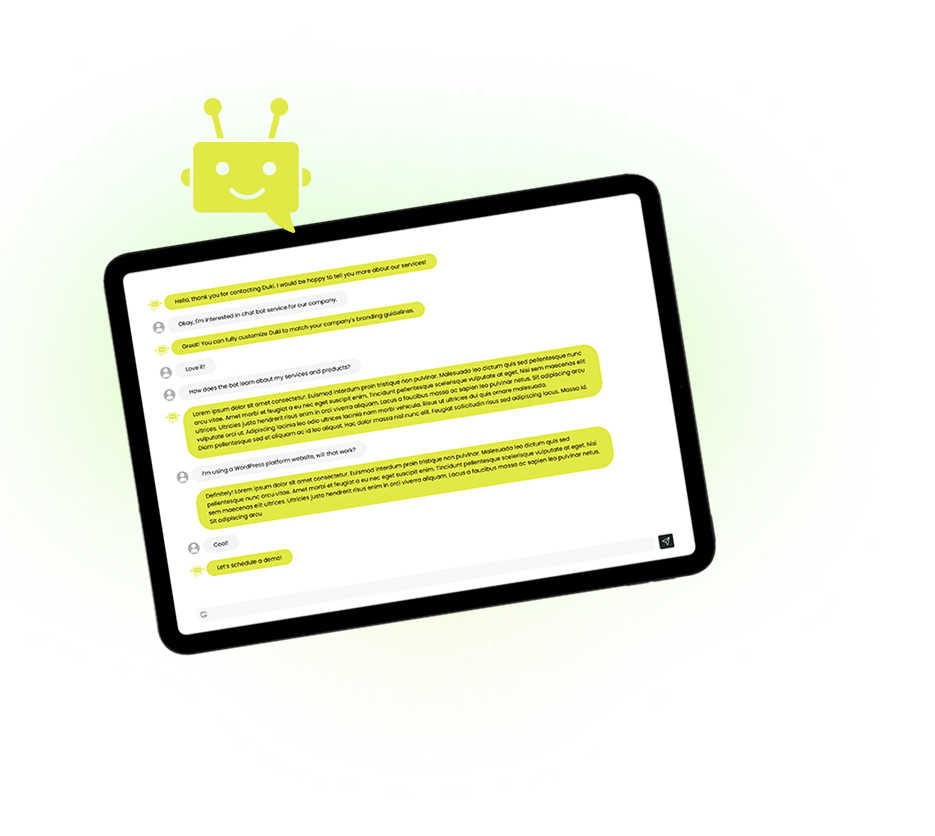
A chatbot widget gives visitors a direct way to ask questions, find information, and get assistance without leaving the page they are browsing.
Help Visitors Instantly
- Let people ask questions the moment they need assistance. Duki responds using your approved business information, even outside your team's working hours.
Keep Visitors Engaged
- Make product details, services, policies, and useful information easier to discover through natural conversations instead of sending visitors searching through multiple pages.
Questions to Leads
- Capture customer details, understand buying intent, and help interested visitors take the next step while they are still engaged with your website.
Make Your Chatbot Widget Fit Your Brand
Create a chat experience that feels like a natural part of your website, with control over its appearance, placement, and language.
-
Match Your Brand
Customize the widget’s colors, chat bubble, and logo to create a consistent experience that reflects your website’s visual identity.
-
Choose Its Placement
Control where Duki appears on your website and position the chat bubble on the side that works best for your layout.
-
Support Every Language
Offer conversations in multiple languages, including Hebrew and Arabic, with right-to-left display for a more natural experience.

Let Your Website Assistant Do More Than Answer
Duki combines conversational assistance with AI Agent capabilities, allowing configured actions through connected business systems to help visitors complete useful tasks.
Schedule Appointments
When connected to a booking system, Duki can help visitors arrange consultations, meetings, or service appointments directly through the conversation.
Check Request Status
Through authorized business systems, Duki can retrieve relevant order, service, or request information and provide updates within the chat.
Submit Support Requests
Collect the necessary details and create support requests through configured workflows, helping visitors get assistance without navigating additional forms.
Provide Relevant Offers
Use configured promotional workflows to deliver approved coupons, special offers, or incentives based on customer needs and conversation context.
Build a Chatbot Widget That Does More
Create a branded AI assistant that answers questions, engages visitors, captures opportunities, and supports useful actions right on your website.
Intelligence Behind Every Conversation
Turn a Simple Chat Window Into a Smarter Assistant
Bring together useful answers, customer engagement tools, lead capture, and business insights in one website chat experience.
-
Knowledge-Based Answers
Answer visitor questions using your approved website content, FAQs, documents, and other business information.
-
Smart Recommendations
Help visitors discover relevant products, services, and website content based on their questions and interests.
-
Conversational Forms
Collect contact details and relevant information through smart forms that become part of the visitor experience.
-
Intent Classification
Automatically identify whether conversations relate to sales, support, bookings, or general enquiries.
-
Self-Service Support
Let visitors resolve routine questions directly in the chat, reducing the number of everyday enquiries your team needs to handle.
-
Save Chat History
Keep past conversations in one place so you can see what visitors asked and how Duki responded.
-
Knowledge Gap Detection
Identify unanswered questions and missing information so you can improve the answers your website provides.
-
Conversation Insights
Understand recurring visitor questions, engagement trends, and opportunities to improve your assistant and website content.

Add Duki to Your Existing Website
Whether your website runs on WordPress, Shopify, Wix, or another platform that supports custom scripts, you can add Duki’s AI chatbot widget with a simple embed code.








How to Add Duki to Your Website
Build your assistant, customize the experience, and make it available to website visitors with a simple integration process.
 Create Your AI Assistant
Define its purpose, language, tone, and instructions. Add your approved business knowledge so Duki can answer relevant visitor questions.
 Customize Your Widget
Choose your brand colors, upload your logo, configure its placement, and test how the assistant responds to real customer enquiries.
 Embed and Launch
Add Duki’s script tag to your website, verify that the chat opens correctly, and refine the experience based on visitor conversations.
Connect Your Widget
See What Makes Duki Different
Compare AI Website Chatbot Features
Explore Duki’s additional AI tools for handling customer requests, improving chatbot performance, and understanding what your website visitors need.
| Feature | Duki | Chatbit | Chatporch |
|---|---|---|---|
| AI Agent Business Actions | ✓ Connected business workflows | X | X |
| Automatic AI Prompt Builder | ✓ Generates assistant instructions | X | X |
| AI Prompt Quality Scoring | ✓ Scores and improves prompts | X | X |
| Automatic Knowledge Gap Detection | ✓ Identifies missing information | X | X |
| AI Performance Recommendations | ✓ Actionable improvement insights | X | X |
Pay as You Chat!
- No setup fees
- Fixed price per message
- Total flexibility
- Built to scale
- No commitments
- Pay per actual usage
- Complete transparency
Chatbot – $25 (Per chatbot per month)
Chat Message – $0.25 (Fixed price per message)
Content Crawl – $0.02 (Fixed price per page)
WhatsApp Messages: $0.05 (Fixed price per page)