Knowledge Base Chatbot That Learns Only From Your Content
Let’s go
Allow Users a Better Way to Find Information
A knowledge base chatbot helps customers and employees find relevant information without searching through multiple documents, articles, or website pages.
Find Information Faster
- Help users get relevant information from your existing knowledge base without opening multiple files or browsing long documentation sections.
Use Your Approved Content
- Keep the assistant focused on the business information you provide, including official documentation, policies, product details, and internal instructions you choose to make available.
Reduce Repeated Questions
- Make frequently requested information available through natural conversations, so customers and employees can find answers without repeatedly asking someone for help.
Make Your Existing Knowledge Easier to Use
Duki helps people find useful information across different types of business content, from product instructions and support articles to company procedures and training materials.

Make troubleshooting guides, frequently asked questions, and support instructions easier to explore through natural conversations.
Help users understand product features, setup instructions, technical specifications, and available functionality using your approved documentation.
Explain published terms, service conditions, company procedures, and other policies based on the information you provide.
Guide users through documented procedures, requirements, and next steps without making them search through lengthy instructions.
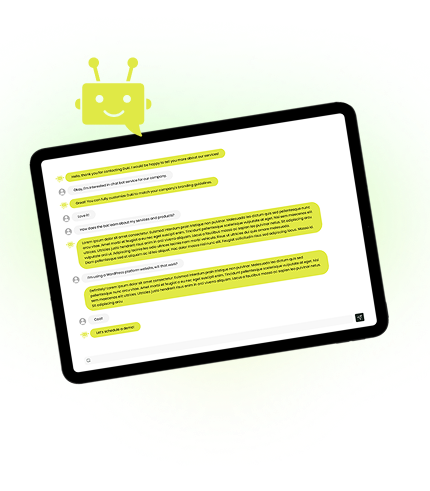
Connect Your Knowledge Base to Business Workflows
Duki can go beyond explaining your procedures. With configured AI Agent actions and authorized system connections, it can help users complete tasks related to the information they find.
Submit Access Requests
When connected to an approved workflow, Duki can help employees submit access requests after explaining the requirements and procedures involved.
Check Request Progress
Through an authorized service management system, Duki can retrieve the current status of a request instead of relying on static documentation.
Schedule Training Sessions
With a connected booking system, Duki can help users arrange relevant training sessions after explaining the available programs and requirements.
Report Documentation Issues
Collect feedback about missing or outdated information and submit documentation requests through a configured task management workflow.
Your Knowledge Needs to Work for You
Turn the information your business already has into an accessible AI assistant that helps customers and employees find what they need.
Smarter Knowledge Management
Get More Value From Your Business Knowledge
Duki combines conversational search, content recommendations, and knowledge management tools to make your information more accessible and useful over time.
-
Natural Language Search
Let users describe what they need in their own words instead of guessing the exact keywords used in your documentation.
-
Relevant Source Links
Display relevant articles, documents, or website pages so users can explore the original information when they need more detail.
-
Follow-Up Questions
Allow users to ask additional questions and explore related details through a continuous conversation instead of starting a new search each time.
-
Knowledge Across Channels
Use the same approved business knowledge for your website assistant and supported messaging integrations, reducing the need to maintain duplicate information.
-
Knowledge Source Control
Choose the content your assistant should use and define instructions that keep responses aligned with your business information.
-
AI Prompt Checker
Review your assistant’s instructions, receive a quality score, and get recommendations for improving how it uses and presents your knowledge.
-
Knowledge Gap Detection
Identify questions Duki couldn’t answer and discover which topics need additional information, clearer instructions, or new documentation.
-
Content Improvement Insights
Use Duki Insights to review recurring questions, understand information needs, and receive recommendations for improving your knowledge content.

How to Build Your Knowledge Base Chatbot
Create your assistant, provide the information it should use, and configure how people interact with your business knowledge.
 Create Your AI Assistant
Define the assistant’s purpose, tone, language, and instructions. Decide which audiences and information needs it should support.
 Add Your Knowledge Sources
Provide your approved website pages, FAQs, documents, articles, and other relevant business information that Duki should use when responding.
 Customize, Test, and Launch
Customize the assistant’s appearance, test questions against your knowledge, refine its instructions, and add it to the relevant pages on your website.
What are you waiting for? Duki is ready to learn your business!
Same Knowledge Several Channels
Make your business knowledge available through your website and supported communication channels. Explore Duki’s integrations to help users find consistent information wherever they interact with your business.


