Appointment Booking Chatbot Without the Back-and-Forth
Let’s go
Make Booking the Easy Part
An appointment booking chatbot brings service information and scheduling together, helping customers make a decision without waiting for someone to answer or arrange a time.
Clear Up Questions
- Explain service fees, appointment lengths, and preparation requirements before customers choose a time, using the information your business provides.
Cut Scheduling Admin
- Collect customer preferences and complete supported booking steps in the chat, reducing the messages needed to arrange an appointment.
Book After Hours
- Let customers ask questions outside office hours and book available appointments when the scheduling connection is enabled, without waiting for reception to open.
Not Just a Booking Link
Put the Appointment on the Calendar
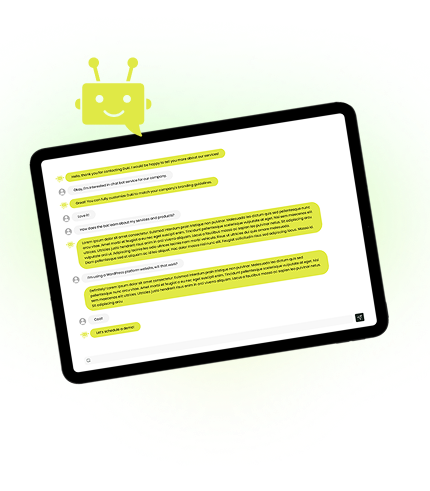
Duki works as an appointment booking chatbot that can complete scheduling tasks through connected tools, rather than simply directing customers to another page.

Help customers identify a suitable appointment type using your service descriptions, then collect the preferences needed for the booking.
When an availability-check action is enabled, Duki can request open slots from your scheduling system instead of treating published opening hours as availability.
Gather names, contact information, preferred dates, and relevant notes in the conversation or through an in-chat form.
Use an enabled booking action to create the appointment in your connected system and share the booking details returned by that system.
Build Booking Around the Services You Offer
Configure Duki for the appointments your customers need, with service-specific questions and booking actions supported by your connected scheduling tools.
Consultations and Demos
Explain what the meeting covers, collect the prospect’s goals, and help them schedule a relevant consultation or product demonstration.
Trial Sessions
Answer questions about first visits, session formats, and introductory offers before helping a prospective member arrange a trial.
Property Viewings
Discuss the property, collect the visitor’s requirements, and help arrange a viewing through your enabled appointment workflow.
Service Visits
Clarify the service required, explain preparation instructions, and help customers arrange an appointment through the connected scheduling system.
Put an Appointment Booking Chatbot to Work
Help customers choose a service, share their preferences, and book through your connected tools without another round of scheduling messages.
The Details Matter Too
Why Use Duki as Your AI Appointment Booking Chatbot
Make the information around each appointment easier to understand, keep useful enquiry records, and discover which booking questions need clearer answers.
-
Explain Booking Rules
Help customers understand your published cancellation terms, deposit requirements, appointment lengths, and other conditions before choosing a time.
-
Prepare for the Visit
Share approved directions, arrival instructions, required documents, and preparation information when customers ask what they need for their appointment.
-
Speak Your Preferences
Visitors can ask booking questions by voice when their browser supports it, providing another way to explain what they need.
-
Keep Enquiry Context
Review conversation histories and summaries to understand the customer’s needs, preferences, and questions before the appointment.
-
Find Missing Details
Identify unanswered questions about your services or booking process so you know which information to add to your knowledge base.
-
Improve Service Pages
Use Duki Insights to uncover recurring questions and content recommendations that can make your service descriptions and booking information more useful.
-
Identify Booking Intent
Recognize whether visitors are looking for a consultation, trial, viewing, service appointment, or general information so you can better understand incoming demand.
-
Relevant Service Pages
Display relevant service, location, or booking pages alongside the conversation so customers can review useful details before choosing an appointment.

Set Up Booking Around Your Business
Give Duki your service information, connect the booking tools it can use, and test the complete appointment journey before launch.
 Add Service Information
Define Duki’s role and provide service descriptions, prices, appointment lengths, locations, preparation instructions, and booking policies.
 Enable Booking Actions
Connect a supported scheduling workflow and define its permissions. Enable booking changes separately when your system supports rescheduling or cancellation.
 Test a Full Booking
Test successful bookings, unavailable times, and failed requests. Check that Duki distinguishes confirmed appointments from enquiries before making it available to customers.
Build Your Appointment Booking Chatbot
Make Booking Help Easier to Find
Let customers ask about your services on your website and supported messaging channels using the same business knowledge. Available booking actions depend on each channel’s configuration.


